How to become a VTuber: a step-by-step guide for beginners
If you are wondering how to become a VTuber, it comes down to six steps, and none of them needs drawing skills. Each one below says what it costs, and the cheapest way through all six costs nothing if you already have a computer and a microphone.
How to become a VTuber in six steps
- Choose your avatar type — a PNGTuber, a Live2D model or a 3D model.
- Get your avatar — commission one, build one, download a free one or make one with AI.
- Sort out your gear — a decent microphone first; a webcam only for face tracking.
- Set up the software — OBS Studio, plus the app that moves your avatar.
- Create your persona — a name, a look, a voice and a little backstory.
- Go live and grow — one platform, a schedule you can keep, clips and collabs.
Step 1 — choose your VTuber avatar type
Cost: free — it’s a decision
A VTuber streams as a character instead of on camera, and the character comes in three kinds. The one you pick sets most of what the later steps cost.
- PNGTuber. Pictures of your character that swap as you talk, so the mouth moves with your voice. No camera needed.
- Live2D model. A 2D drawing made in layers and set up to move. It turns, blinks and copies your expressions through a webcam, which is called face tracking.
- 3D model. A character with depth, driven by face tracking or by tracking your whole body.
| Avatar type | Cost | Effort | Gear |
|---|---|---|---|
| PNGTuber | Free with a free model or your own art; more if you commission one | Low: pictures and a free app | A microphone |
| Live2D model | Usually the most expensive way in | High: weeks waiting on a commission, or a lot to learn | A webcam, a mic and a computer with power to spare |
| 3D model | Free if you build it in VRoid Studio; much more if commissioned | Medium to high: building one takes practice | A webcam and a microphone |
| AI-drawn PNGTuber from the PNGTuber maker | First 4 designs free with sign-up credits, then about $2.38 per finished character on the $9.90 Starter pack | Low: one sentence, then pick a design | A microphone |
Not sure? Start as a PNGTuber: it is the cheapest way to find out whether you enjoy streaming, and the same character design can be made into a Live2D or 3D model later. Compare them in full on PNGTuber vs VTuber.
Step 2 — get your VTuber avatar
Cost: from free to the most expensive step of all
This is what most people mean by how to make a VTuber, and it is where costs differ most. There are four ways to get one.
Commission an artist
The most personal option, and usually the most expensive: an artist draws a character only you have. A Live2D model adds a second job, setting the layered drawing up to move. Expect to wait for a good artist, and get commercial use agreed in writing.
Build a 3D avatar in VRoid Studio
VRoid Studio is a free 3D character maker. It costs time instead of money, and gives you a 3D model to run in a tracking app (step 4).
Start from a free model
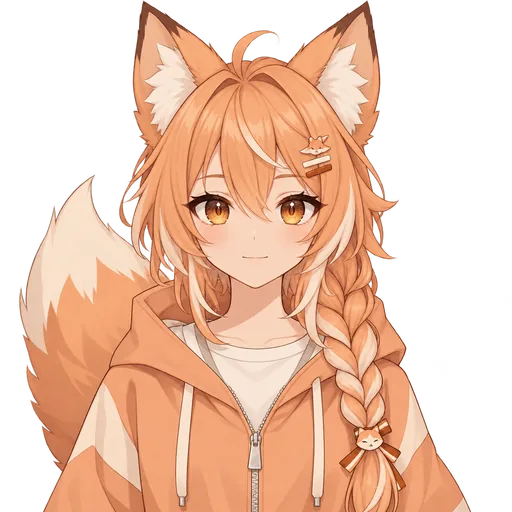
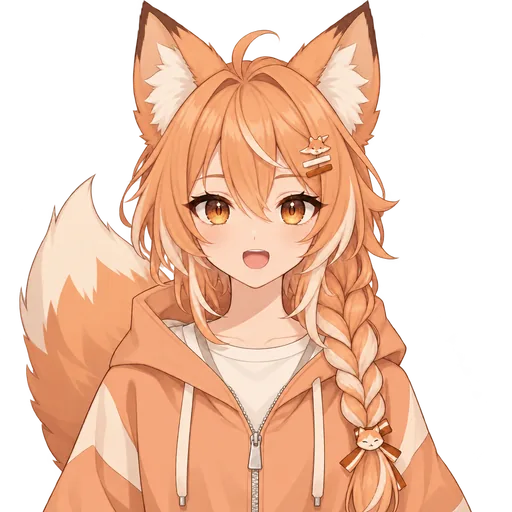
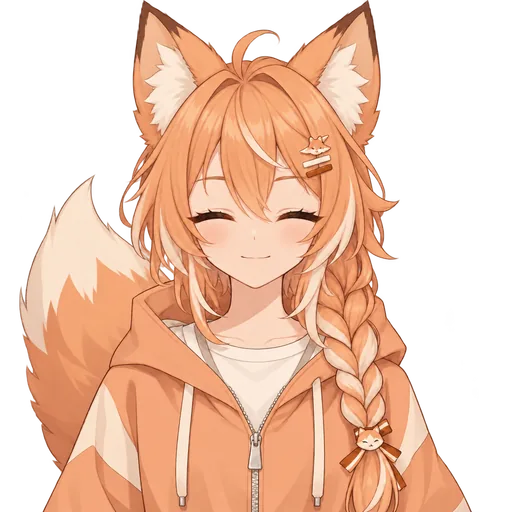
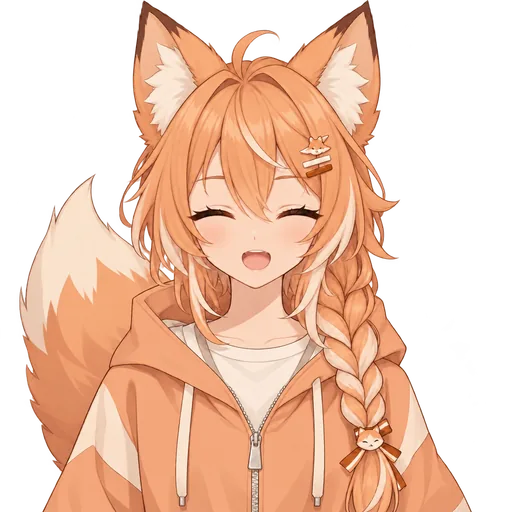
Read a free model’s license before you stream with it, and expect other channels to use it too. The six below were made with PNGTuber Maker and are free to download from itch.io, no account needed. Mint Gamer and Fox Streamer were each drawn from one sentence; the other four were redrawn by the AI from reference pictures.
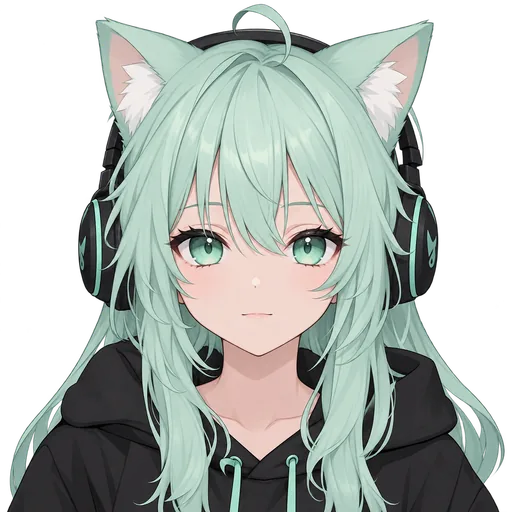
Mint Gamer
Drawn from one sentence
Fox Streamer
Drawn from one sentence
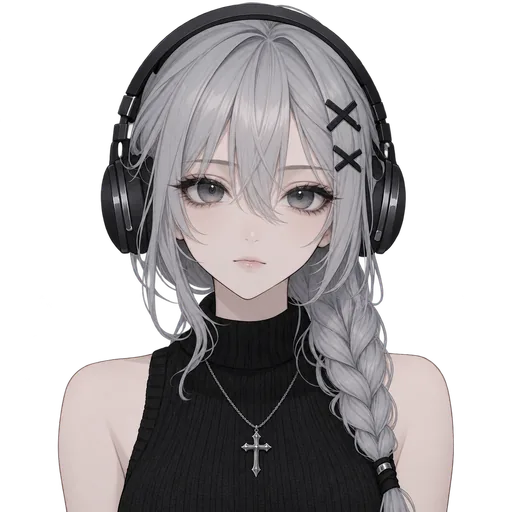
Soft Goth
Redrawn from a reference picture

Panda Hoodie
Redrawn from a reference picture
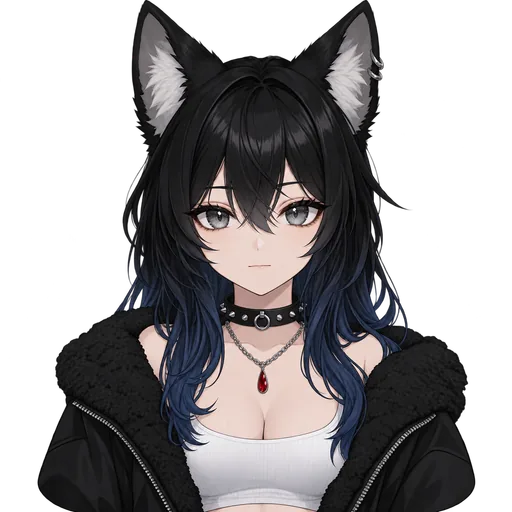
Wolf Girl
Redrawn from a reference picture

Rabbit Hoodie
Redrawn from a reference picture
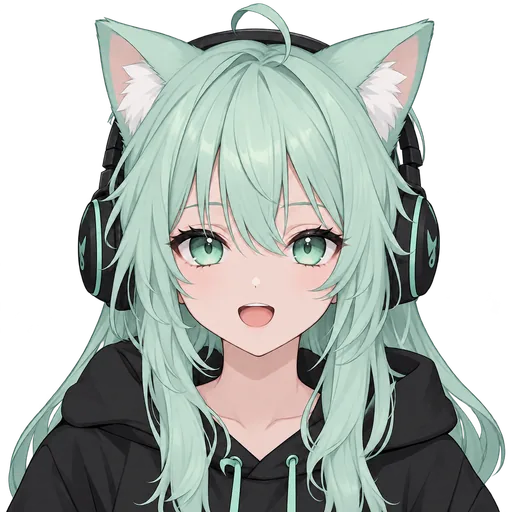
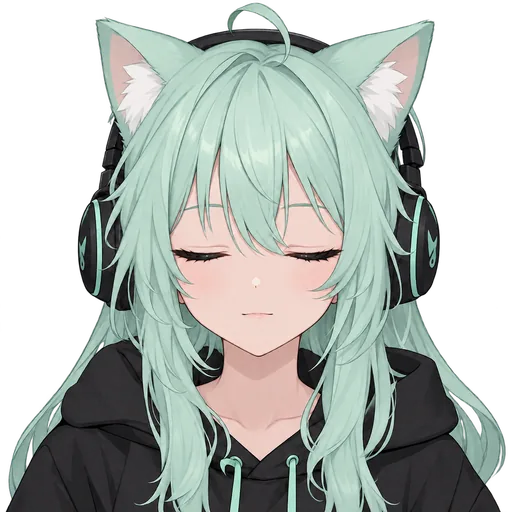
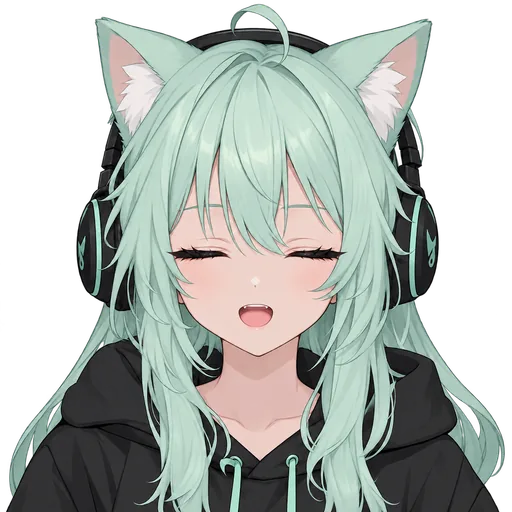
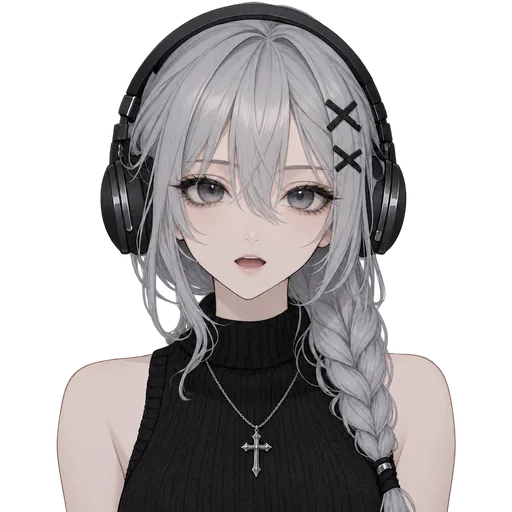
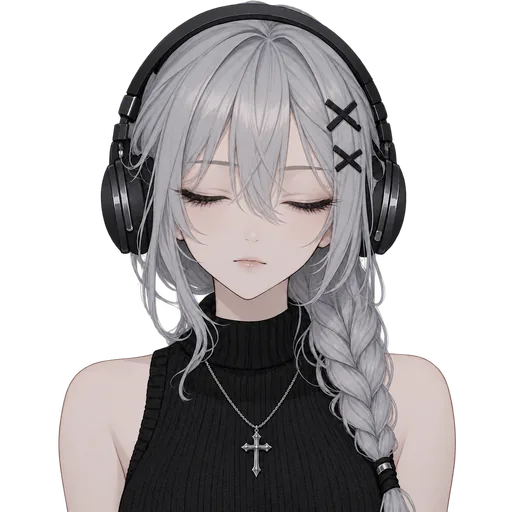
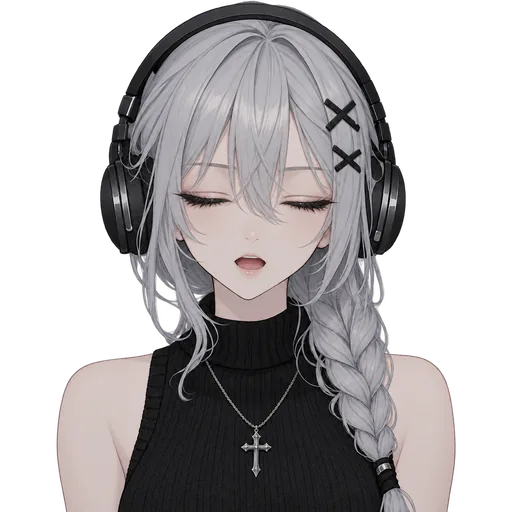



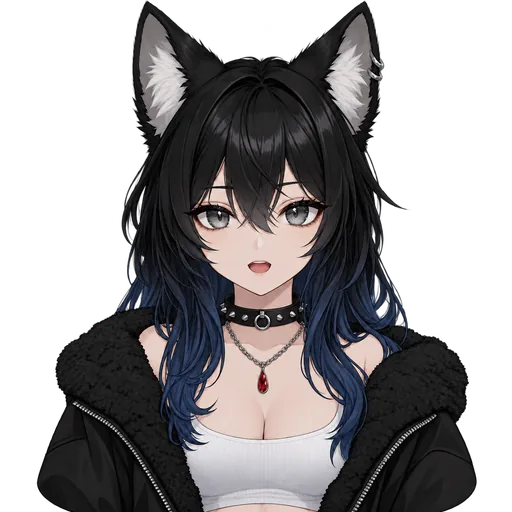
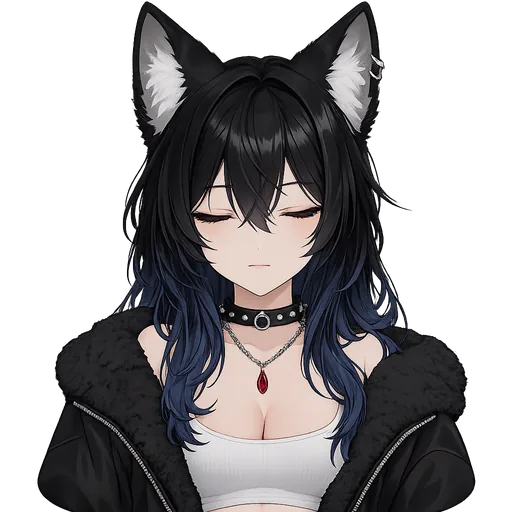
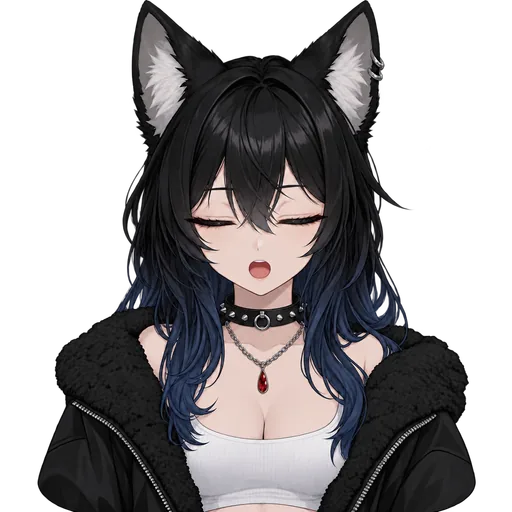



Each comes as 1024×1024 transparent PNGs: idle, talking, blink and blink-talking, plus an angry pair for Mint Gamer. Use them on monetized streams and in videos, no credit required. Download the free pack on itch.io, or see how they compare with bought and commissioned ones on the free PNGTuber models page.
Make an original character with AI
Can’t draw, and want a character nobody else has? Describe it in a sentence and the AI generator on this site draws 4 original designs. Your pick becomes a PNGTuber: 4 matching frames on a transparent background, with a mouth that moves when you talk and eyes that blink on their own. It is yours to use on monetized streams, with no credit to us.
Writing the idea needs no account, and sign-up credits (no card) pay for the first round. On an account that has never bought credits, your pick then talks in a free, watermarked preview. Keeping it, with clean files, downloads and the OBS link, costs 120 credits. Your first purchase is $3.99 for 400 credits if you make it within 48 hours of that first preview.
Step 3 — sort out your VTuber gear, microphone first
Cost: often nothing — start with what you have
You probably own most of this already. Buy gear once you know you enjoy streaming, and buy sound first.
A microphone, first
Viewers forgive a simple avatar long before they forgive muffled sound. A headset mic is fine to start; a USB microphone is a good first upgrade.
A webcam, only for face tracking
A Live2D or 3D model follows your face through a webcam, and even light helps it track. A PNGTuber follows your voice and needs no camera.
A computer that runs OBS
OBS runs beside your game. Face tracking adds live work on top, so it asks more of the computer than an avatar that only swaps pictures.
Step 4 — set up OBS and your VTuber software
Cost: OBS Studio is free
Whatever your avatar, you can stream it through OBS Studio, a free program that puts your game, chat and character in one scene and sends it to Twitch, YouTube or wherever you stream. What moves the avatar depends on its type.
- A character made here: the OBS link that comes with every character you keep. It works in OBS 28 or newer, with the mouth on your mic and blinking on a timer. In Streamlabs it never talks, so use the next option there.
- Any PNGTuber, in OBS or Streamlabs: a free PNGTuber app such as veadotube mini. Load your PNG files into it and capture its window.
- A Live2D model: VTube Studio, a face-tracking app for Live2D models.
- A 3D model: a tracking app that loads VRM models. Check that your model works in it before you build or buy.
For the PNGTuber setup step by step, see how to add a PNGTuber to OBS.
Step 5 — create your VTuber persona
Cost: free
Your VTuber avatar is what people see; the persona is what they come back for. Four things are enough to start.
- A name that is easy to say and spell, and free as a handle on the platforms you will use.
- A look people recognize at a glance. On stream it sits in a corner, often on a phone, so a clear outline, two or three colors and one signature detail (ears, a hood, headphones) beat fine detail.
- A voice you can keep up for hours. Your normal voice is fine; an invented one is hard to hold through a long stream.
- A little backstory. A sentence or two gives you something to play with on stream, and it can grow from there.
Test the look at thumbnail size: shrink the six characters in step 2 to the size of a coin, and Panda Hoodie’s black ears and Rabbit Hoodie’s red ribbons still stand out. The rest of how to be a VTuber, like staying in character and talking to chat, comes with practice.
Step 6 — go live and grow as a VTuber
Cost: free
- Pick one platform to start. Twitch, YouTube and TikTok all have VTubers; start on the one you already watch.
- Pick a schedule you can keep. Two streams a week at fixed times beat daily streams that stop after two weeks.
- Turn streams into clips. Short vertical clips for TikTok and YouTube reach people who would never click on a live stream.
- Collab with other small VTubers.Streaming together puts each of you in front of the other’s viewers. Over a Discord call, Discord reactive images can show everyone’s character on stream, talking when they talk.
That is how to start vtubing: go live with what you have, then improve one thing at a time, starting with your sound.
How to become a VTuber for free
Take the cheapest choice from each step and the total is nothing, if you already have a computer and a microphone.
- Choose a PNGTuber: no camera, no paid app.
- Download a free model, such as the six in step 2.
- Use the microphone you have, even a headset mic.
- Install OBS Studio and a free PNGTuber app such as veadotube mini.
- Write down a name and a one-line backstory.
- Go live on one platform, on a schedule you can keep.
What this can’t give you is a character nobody else has. For that, commission one, build one in VRoid Studio, or make one with AI here: writing the idea is free, the sign-up credits pay for your first 4 designs, and keeping your pick costs 120 credits.
How to become a VTuber: beginner questions
Can you become a VTuber for free?
Yes. A free model, OBS Studio and a free PNGTuber app such as veadotube mini cost nothing, and the microphone you already have will do. For an original character, writing your idea on this site is free and needs no account. Signing up adds 200 credits with no card, which pay for your first round of 4 designs at full quality; they expire 30 days after you sign up. On an account that has never bought credits, your pick is then drawn into its talking and blinking frames as a free, watermarked preview. Keeping those frames, with the clean files, downloads and OBS link, costs 120 credits, 40 more than the sign-up credits leave, so that is where free ends.
How much does it cost to become a VTuber?
From nothing to a lot, depending mostly on the avatar. A PNGTuber can cost nothing, while a custom Live2D model is usually the most expensive way in, since it is drawn in layers and then set up to move; a 3D model is free if you build it in VRoid Studio and far more if you commission one. With the AI generator here, sign-up credits pay for your first round of 4 designs. Keeping a character costs 120 credits; your first purchase is $3.99 for 400 credits if you make it within 48 hours of your first preview, and after that the Starter pack is $9.90, about $2.38 per finished character.
Do you need a webcam to be a VTuber?
No. A PNGTuber follows your voice, so all it needs is a microphone. You need a webcam only for face tracking, which moves a Live2D or 3D model's head, eyes and mouth along with yours.
Do you have to show your face as a VTuber?
No, and that is the whole idea: viewers see your character instead of you. With face tracking, the webcam reads your expressions so the model can copy them, but the stream shows the model, not the camera.
Can you become a VTuber if you can't draw?
Yes. Commission an artist, build a 3D avatar in VRoid Studio, download a free model, or describe a character to the AI generator here. Signed in, you can also start from a reference picture; it goes to our AI image provider to make the designs, so only upload pictures you have the right to use.
How long does it take to start as a VTuber?
With a free model and free software, you can go live the same day, and the AI generator here draws its designs in minutes. A commissioned model takes weeks, mostly spent waiting for the artist.
What's the difference between a VTuber and a PNGTuber?
A PNGTuber is usually counted as a kind of VTuber: its avatar is a set of pictures that follow your voice, while a Live2D or 3D model follows your face. The PNGTuber vs VTuber page compares the two on cost, gear and setup time.