PNGTuber expressions, drawn to match your character.
PNGTuber expressions are the extra faces your character makes when your stream reacts: happy, angry, shy, sleepy. Here the AI draws each one from your own character and changes only the face, so a new mood still looks like the same character. Describe your character below to start — expressions are added once you have kept it.
200 credits on sign-up — full-quality designs, no watermark, no card.See pricing
What to make
PNGTuber expressions list: what to make, and when.
Most PNGTuber emotions lists start with the classics and grow from there. Each card says when streamers reach for it.
Start with the classics
4 ready-made expressions, one pick each in the expression editor: the set most expression packs open with.
Happy
Wins, raids, and the joke from chat that actually lands.
Sad
A run that died one hit from the boss, or saying goodnight.
Angry
The same boss beating you again. Mostly played for laughs.
Surprised
Jump scares, plot twists and a gift sub out of nowhere.
Then the moods your stream has
Each is a recipe of parts, shown on its card. Shy and Smug are presets in the editor; build the rest from the same parts under Fine-tune details.
Positive
Excited
A game you have waited months for, or a giveaway going live.
- Eyes: Sparkle
- Mouth: Grin
Heart Eyes
Fan art from chat, a cute pet on screen, your favorite character.
- Eyes: Heart
Soft
Shy
Compliments in chat, or getting caught singing along.
- Eyes: Looking away
- Brows: Worried
- Cheeks: Blush
Sleepy
Cozy late-night streams and the last hour of a long one.
- Eyes: Half-lidded
- Effect: ZZZ
Negative
Crying
Sad endings, played for drama or for real.
- Eyes: Teary
- Mouth: Frown
- Effect: Waterfall tears
Chaotic
Smug
You called it, and chat knows it.
- Brows: Sly
- Mouth: Smirk
Confused
Puzzles, lost quest markers and chat messages that make no sense.
- Eyes: Dizzy swirls
- Effect: Question marks
Tongue Out
Teasing chat after a cheeky win.
- Eyes: Happy closed
- Mouth: Tongue out
- 1 frame
Or build your own, part by part
No text box: you pick parts, and the name is just a label. Every part starts on Default, your character’s own look.
- Eyes
- Wide
- Half-lidded
- Squint
- Happy closed
- Sparkle
- Heart
- X eyes
- Dizzy swirls
- Dots
- Blank white
- Tired
- Teary
- Looking away
- Brows
- Angry
- Worried
- Raised
- Sly
- Mouth
- Smile
- Grin
- Frown
- Pout
- Cat mouth
- Smirk
- Flat
- Wavy
- Tongue out 1 frame
- Shock open 1 frame
- Cheeks
- Blush
- Heavy blush
- Puffed
- Effects, up to 2
- Sweat drop
- ZZZ
- Anger vein
- Question marks
- Hearts
- Sparkles
- Waterfall tears
- Gloom shadow
- Sigh puff
- Spiral
- Rainbow puke 1 frame
Tongue out, Shock open and Rainbow puke take over the mouth: an expression with one is a single frame at half the price, and holds still while you talk.
A character holds up to 20 custom expressions on top of the classics.
Going live
How to switch PNGTuber expressions on stream.
One expression on screen at a time, swapped with a key. Here is how, wherever your character runs.
In OBS, with your links
OBS 28 or newerEach expression of a kept character has its own link, so each is its own Browser Source.
- Open Use in OBS on your character. Add directly to OBS makes a source for each expression you pick, or paste each link into a source of its own.
- Give every source the same size and spot. New sources arrive visible, so hide all but the one you start on.
- In Settings → Hotkeys, give each source a Show key and a Hide key.
- On stream, hide the face that's up and show the next. Each source talks with your voice; only the neutral one blinks.
Pasting links needs one extra OBS setting; the OBS guide covers both routes.
In a PNGTuber app
A free app such as veadotube mini holds each expression as its own state.
- Download your character's ZIP: one folder per expression.
- Make a state per folder: the quiet frame for mouth closed, the talking frame for mouth open. A one-frame expression uses its one picture.
- Give each state a hotkey.
- Capture the app's window in OBS or Streamlabs.
Use this route in Streamlabs: the links never make your character talk there.
Expression sheet
PNGTuber expression sheet: what it is, and what you get here.
An expression sheet is one picture of a character’s faces side by side, each labeled: how artists present a commission and shops preview an expression pack. It is made for looking at; to stream, each face has to be its own transparent image.
Here you get those files: each expression’s transparent PNGs, in its own folder of the ZIP, ready to load as a state. For a sheet as well, line the quiet frames up in any image editor; a character’s frames share one canvas size.
Mint Gamer, laid out as a sheet
Neutral
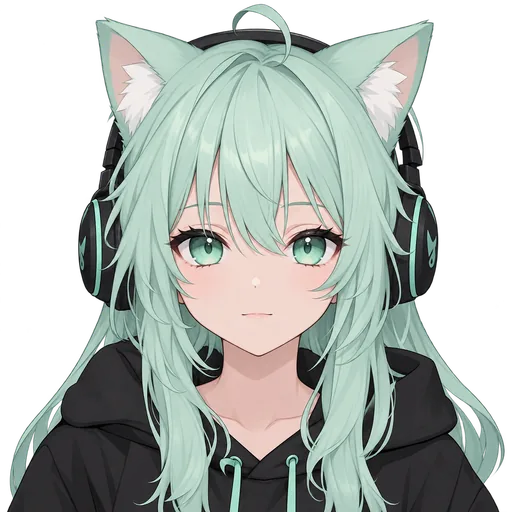 Idle
Idle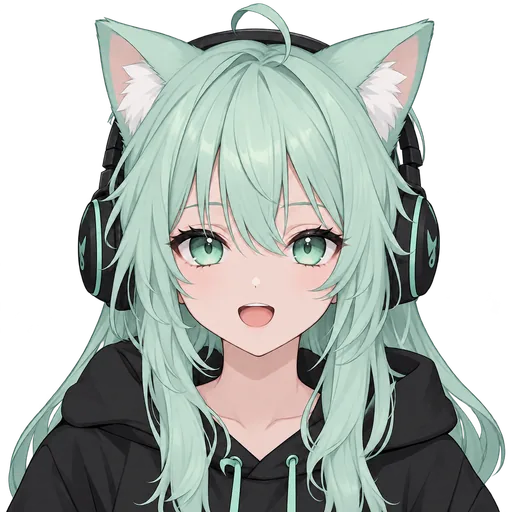 Talking
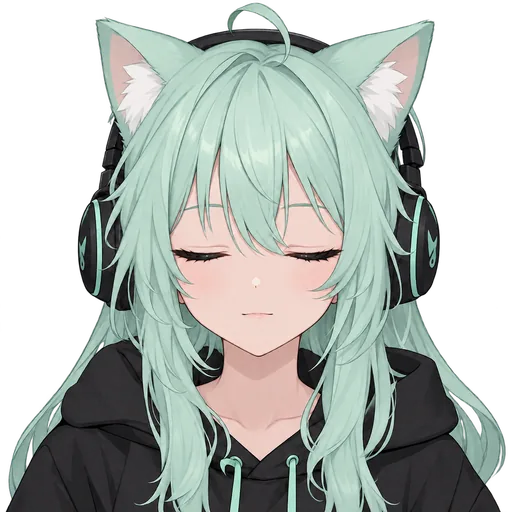 Blink
Blink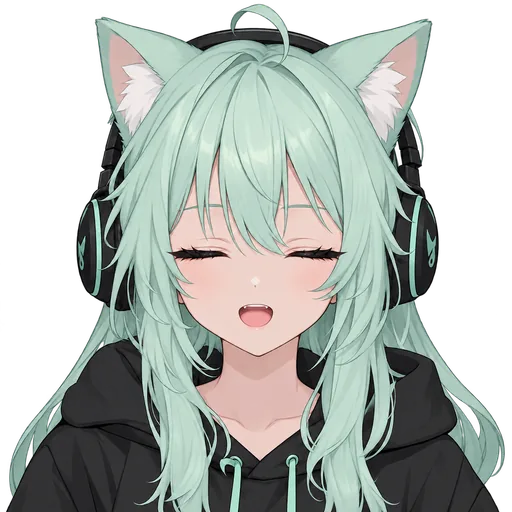 Talking + blink
Angry
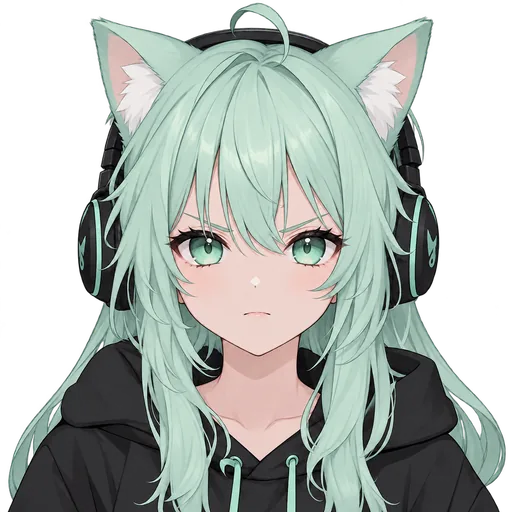 Quiet
Quiet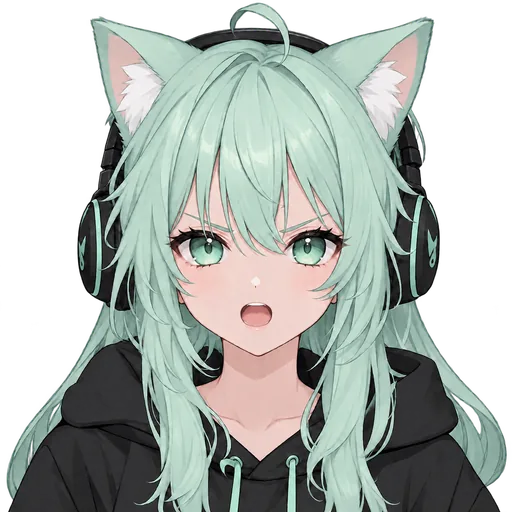 Talking
your-character.zip
neutral/Basic frames · the set that blinks
- idle.png
- talking.png
- blink.png
- blink-talking.png
angry/Classic · quiet + talking
- angry.png
- angry-talking.png
shy/Custom · quiet + talking
- shy.png
- shy-talking.png
tongue-out/Custom · one frame
- tongue-out.png
- README.mdHow to load each folder
- manifest.jsonDetails of every file
How it works
Your character first, then its expressions.
Expressions are drawn from a character you have kept, so they come last. Each step says what it costs.
Describe your character
Write who they are: look, outfit, vibe. No account needed; once you sign in, a reference picture works too.
FreeYour ideaA mint-haired gamer girl with cat ears, a black hoodie, and headphones.
Pick from 4 designs
Sign in and the AI draws 4 takes at full quality. Pick the one you will stream as.
Free with sign-up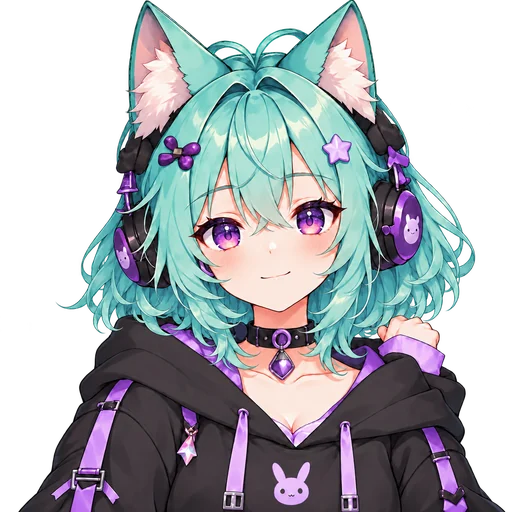
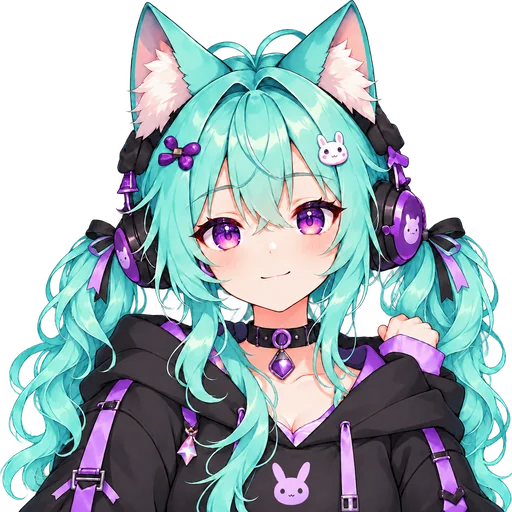
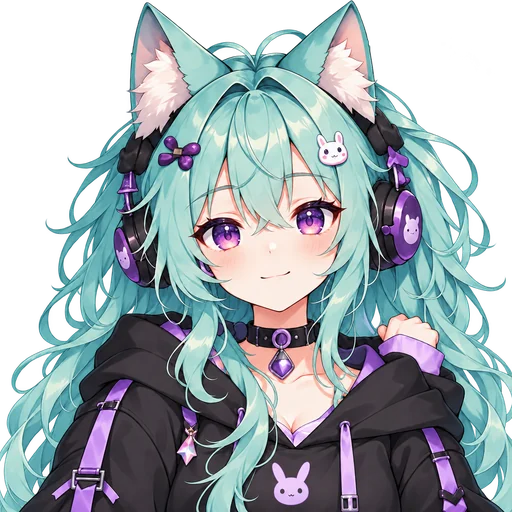 Selected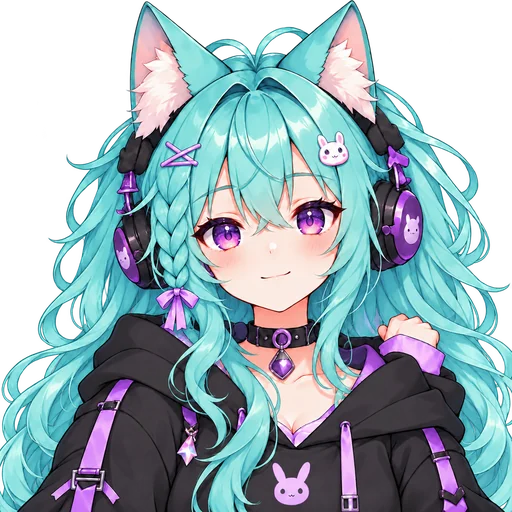
4 designs 1 favorite
Keep the frames
Your pick is drawn into 4 transparent frames, so it talks and blinks. Never bought credits? You watch a free, watermarked preview first.
120 credits4 transparent PNGsIdle
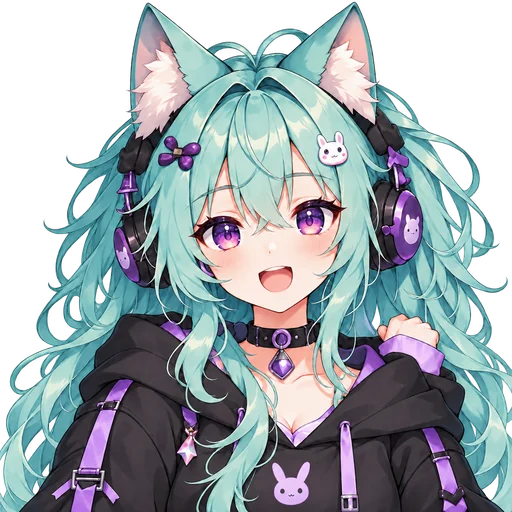
Talking
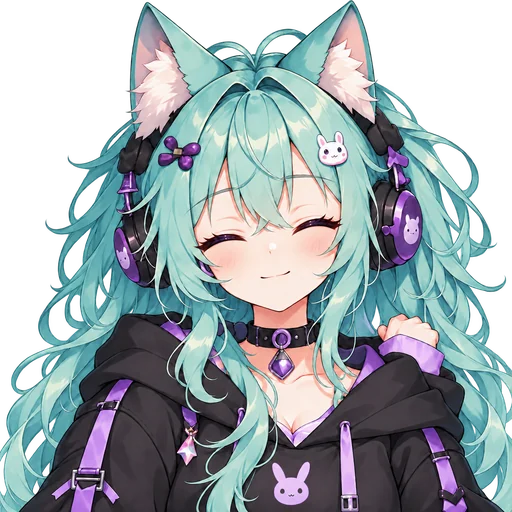
Blink
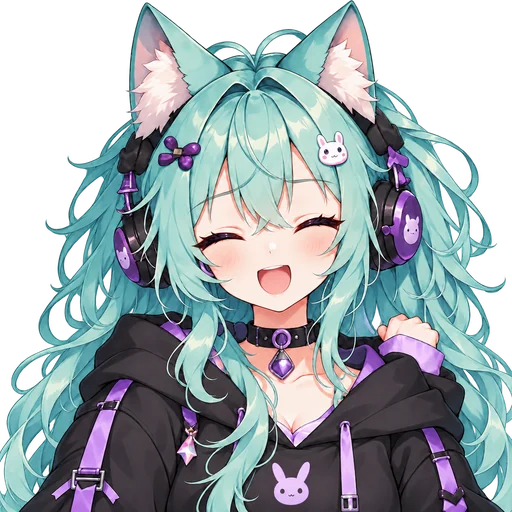
Talking + blink
Add expressions
Once your account has bought credits, add classics, presets or your own to the kept character. Each shows its price before you confirm.
Credits eachOBS ready
Before you add one
Three tips for expressions that work on stream.
Start with three to five
Think about your last stream: did you laugh, rage at a boss, go quiet when chat was slow? Make those first. A few you use beat a long list you forget mid-game.
Make each one readable small
Your character is small on stream, often on a phone. Pick the big version of a feeling, a heavy blush or streaming tears, and judge it zoomed out.
Change the face, nothing else
Viewers know your character by its outline. If the hair or outfit shifts between faces, every swap looks like a glitch, so each expression here changes only the face; effects like hearts float beside the head.
Questions about PNGTuber expressions.
How much do PNGTuber expressions cost?
Each expression costs credits, shown on the button before you confirm, and a failed one is refunded automatically. Expressions are added to a character you have kept, on an account that has bought credits at least once: the sign-up credits alone do not unlock them, and any credit pack does. One that takes over the mouth (Tongue out, Shock open and Rainbow puke) comes as a single frame at half the price of a quiet-and-talking pair. The character comes first, and starting one is free: signing up adds 200 credits with no card, enough for your first round of 4 designs. Keeping its frames takes 120 credits, 40 more than the sign-up credits leave; on an account that has never bought credits, you see them first as a free, watermarked preview. A first purchase within 48 hours of that first preview is $3.99 for 400 credits.
How many expressions should a PNGTuber have?
Three to five on top of your neutral frames: enough to react, few enough to remember the hotkeys. The 4 classics (happy, sad, angry and surprised) are the usual start; add one when you catch yourself making the same face again and again. A character here holds up to 20 custom expressions on top.
What is a PNGTuber expression sheet?
One picture of a character's expressions side by side, the way artists present a commission. Streaming needs each face as its own transparent image, which is what you get here: each expression's PNGs, in its own folder of the ZIP.
How do I switch PNGTuber expressions on stream?
In OBS 28 or newer, give each expression its own Browser Source from its link and swap them with each source's Show and Hide hotkeys. In a PNGTuber app, make each expression a state with a hotkey. Streamlabs never makes the links talk, so there, use a free app such as veadotube mini and capture its window.
Will the expressions match my character?
That is the point of drawing them here. Each one starts from your kept character's own picture, with the AI asked to change only the face and keep the hair, eye color, outfit and pose; every frame is then fitted to your idle frame's size and colors. AI can still slip, and if a frame comes out wrong you can redraw just that one for credits, shown first.
Can I add expressions to a character I made somewhere else?
Not directly: expressions are drawn from a character kept here, from its own frames. You can start a new character from your art, though: sign in, add it as a reference image, choose “Keep the likeness” and keep the result, then add expressions. Your image goes to our AI image provider to make the designs, so only upload pictures you have the right to use.
More for your PNGTuber
Make the character. Then give it every mood.
Describe it in a sentence and pick one of 4 designs for free. Keep the one you love, then add the faces your chat will know you by.